MAKE ROOM FOR WHAT MATTERS
Your PC.
Your boundaries.
A calmer place to focus, understand your time, and step away when you’re done.
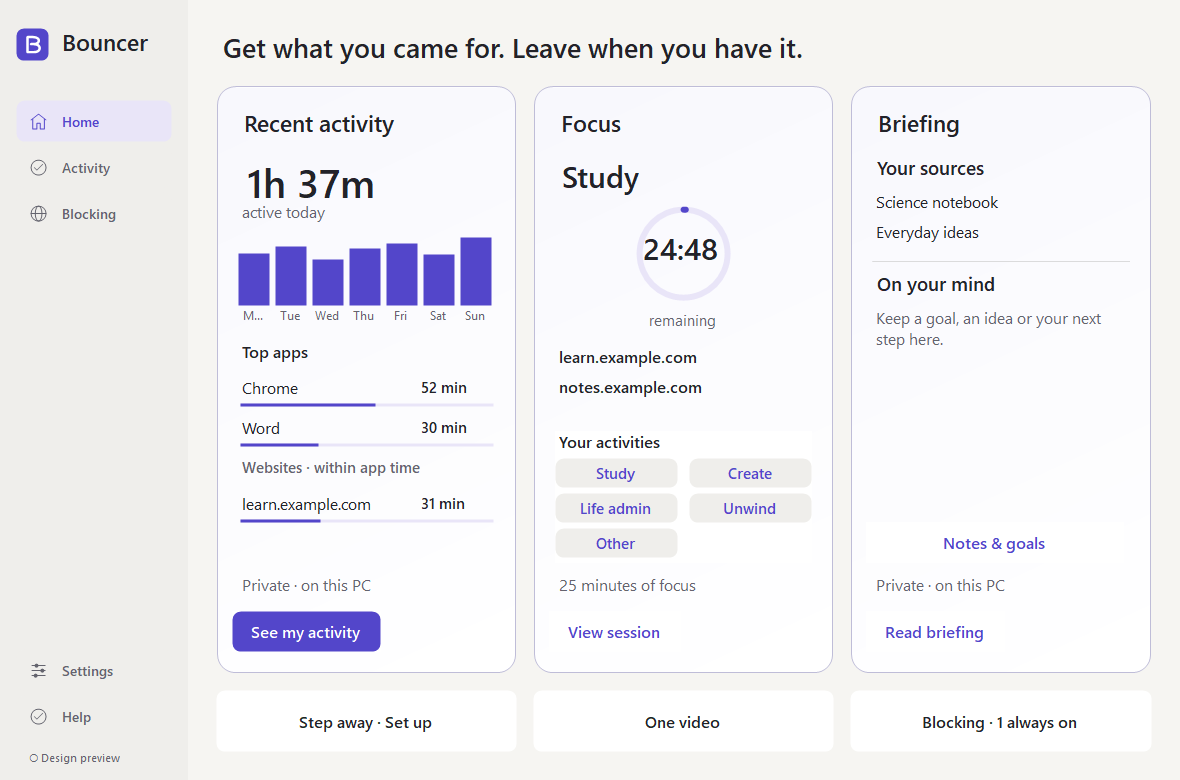
Actual app preview · demo data

Bouncer for Windows
$39.99 USD
One-time purchase · 1 PC · no subscription
- Focus sessions and scheduled boundaries
- Website and application rules
- Optional local activity insights
Early release: the installer is unsigned. Windows may show an unknown-publisher warning or prevent installation. Read the setup guide before buying.
Buy Bouncer — $39.99 ↗Checkout and the release download are being prepared. No payment can be made here.
14-day refunds. Updates within the major version you purchase. Any applicable tax is shown at checkout. Read the purchase terms and privacy notice.
Questions? Contact support ↗BEFORE YOU BUY
Made for your Windows PC.
Windows 10 version 2004 or later, x64, with .NET Framework 4.8. Installation and changes to machine-wide rules require administrator approval.
One license covers one PC, shared across its Windows users. Internet access is needed for initial activation and moving your license. After activation, there is no offline time limit. Bouncer checks automatically when online; connection failures and service outages do not interrupt licensed access. There is no subscription. Release the license in Settings before moving to another PC; contact support if the old PC is unavailable.
Website rules support Chrome, Edge, and Brave. Website activity and personal daily website limits need the included browser extension, currently installed manually using Developer mode. It is not listed in browser stores. See extension setup and limitations.
Bouncer provides practical boundaries. It does not block every unsafe website, replace antivirus, or prevent an administrator from removing it.